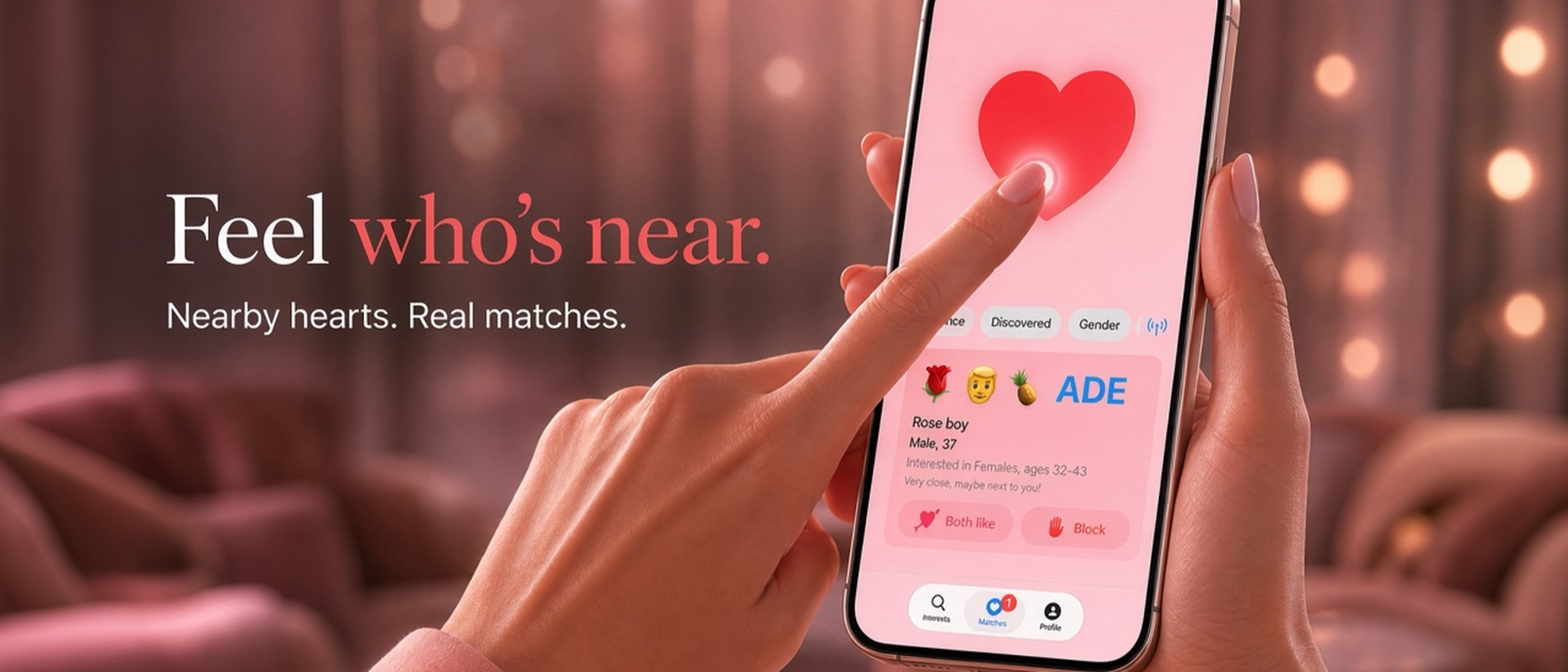
Find them, don’t swipe them
No endless feed to farm. When the heartbeat rises, look up. The point is the person a few steps away — not another profile to save and forget.
Floert
Find them, don’t swipe them. No login, no photos — the base app is free. iPhone, Android, and Mac work together nearby.
See how it worksFloert is a play on flirten — the German word for flirting. Are Germans good at flirting? You judge. For those of them who need an icebreaker app… here we are.
Heartbeater is not for swiping stacks of faces or collecting ghosts in a chat inbox. It’s for noticing someone who is actually here — finding them in the crowd, breaking the ice, and turning a shared pulse into a real hello.
No endless feed to farm. When the heartbeat rises, look up. The point is the person a few steps away — not another profile to save and forget.
The beat is your excuse to start. A glance, a joke, a “are you hearing this too?” — small courage that leads to conversation, chemistry, and nights that actually happened.
Someone is sitting opposite you. You exchange a smile — then that familiar pause: are they open, or just being polite? Check the app. If the heartbeat answers, you’ll know. No names to trade, no phone number, no message to send. Just a shared pulse that says it’s okay to say hello.
Matches live while you’re nearby. The goal isn’t a trophy case of unread threads — it’s shared air, shared laughter, and walking away having met someone for real.
Two steps. First you define your Profile and Interests. Then Heartbeater does the matching nearby — over Bluetooth, no internet required — and your heartbeat grows louder as you get closer. iPhone, Android, and Mac work together, so a match is a match no matter which screen they’re on.
Step 1
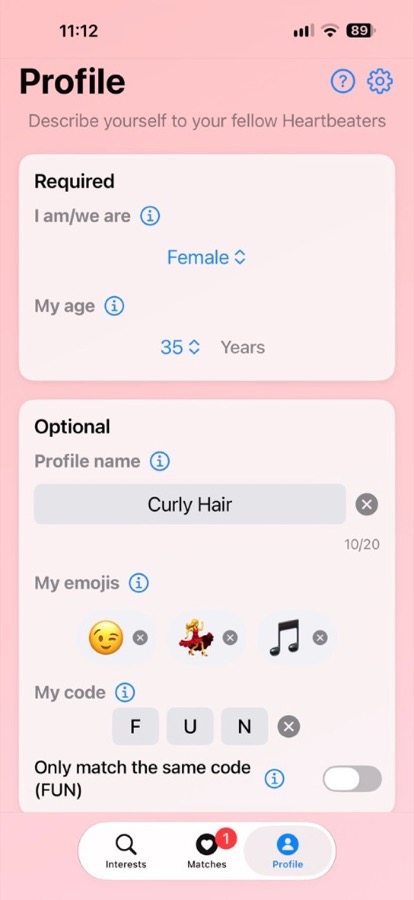
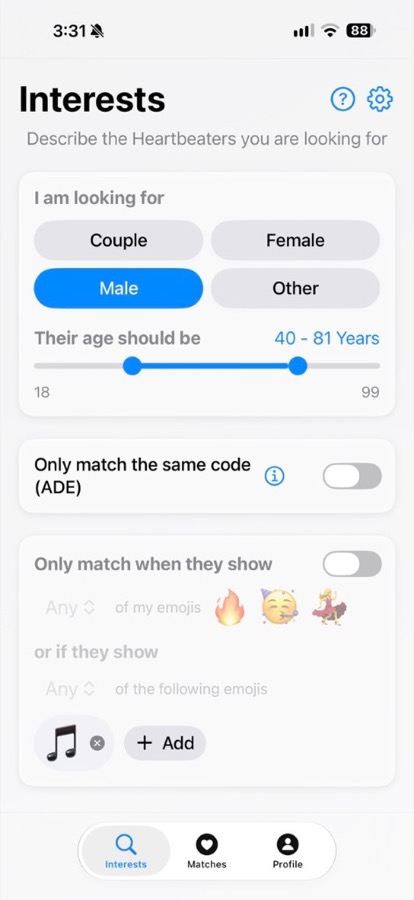
Who you are, your signature three icons, your Profile Name, and who you’re looking for — pickleball, book club, tacos and Netflix, or just “want to chat.”
Step 2
Compatible Heartbeaters show up when they’re actually close. Like or Block in the room — and when both of you like each other, the app shares the Profile Name.
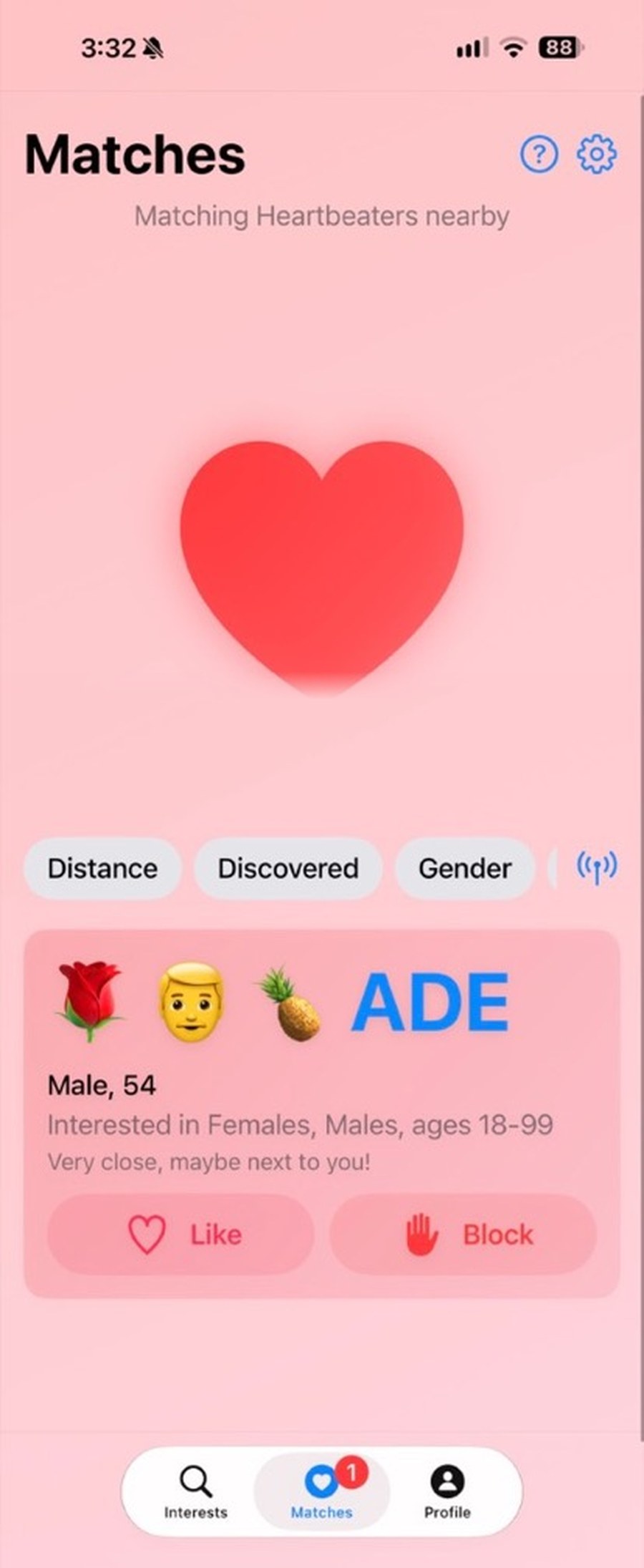
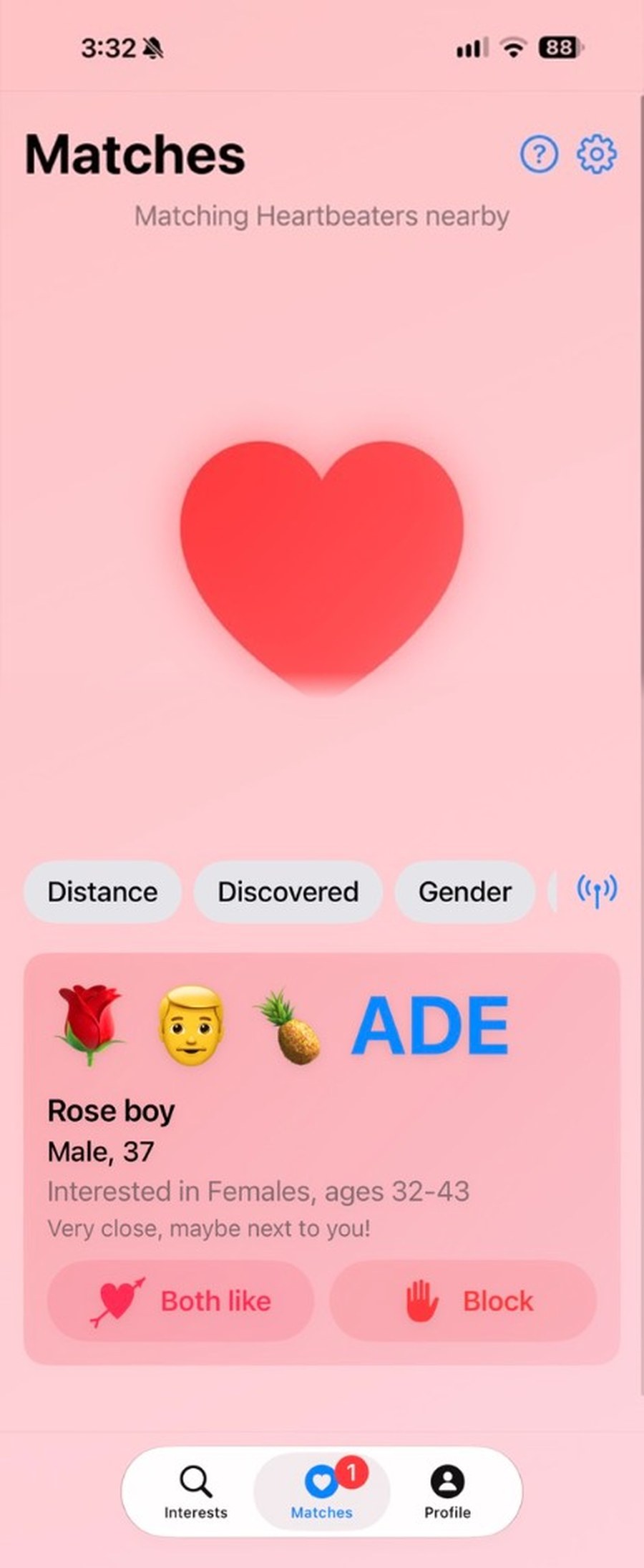
No swiping pile. No inbox of ghosts. Just a clear step toward a real hello in the room.
Mid-ocean, Wi‑Fi is a rumor and the buffet line is a social experiment. Your phone thumps softly as someone on the next deck matches your vibe. You follow the beat past the pool, meet cute eyes by the rail, and the night opens like a shared secret — no signal bars needed.
Bass in your chest, lights strobing, names impossible. Then Heartbeater syncs with the music: a second pulse when your match drifts into range. You dance a little closer, laugh when the beat jumps, and somehow find each other without shouting over the DJ.
You’re halfway through a drink when the heartbeat picks up — not panic, promise. Across the room, someone glances up at the same moment. One smile, one seat closer, and the soft thump becomes the soundtrack to “hi, I think we’re looking for each other.”
Candlelight, shared plates, strangers at neighboring tables. Your pulse ticks up as the couple (or the solo diner) two tables over lights up the same way. A playful nod, a dessert recommendation, maybe a walk after — romance that starts between courses.
Windows down, city lights streaking past. For three delicious seconds the heartbeat surges as another Heartbeater rolls beside you at the light. You both grin, music loud, and the moment vanishes with the green — a tiny, perfect almost that still makes you laugh the rest of the drive.
Same carriage, different worlds — until the beat finds you both. Headphones off, eyes meet over the aisle, and the ride home suddenly has a plot. You trade a look, a stop, maybe a coffee at the station. Proximity turned into a story worth telling.
Airplane mode on, butterflies optional. Somewhere a few rows away, a compatible pulse answers yours. You can’t wander the cabin like a rom‑com, but you can smile when you deplane — and let the heartbeat lead you to a hello in the jet bridge, still offline, still very much online with each other.
Laptop open, latte cooling, pretending to work. Then the heartbeat taps through from someone across the communal table — phone or Mac, doesn’t matter. Eyes lift over the screen, you both smile at the absurd romance of it, and the Wi‑Fi password suddenly feels like the least interesting thing in the room.
You both show paddle vibes on your profile. Courtside or in the park, the heartbeat finds the other player who’s looking for a hit — and maybe a little flirt with the follow-through. Shared interest first; the rally (and the chemistry) comes next.
Soft voices, strong opinions, someone across the circle with the same cozy icons. Your pulse ticks when they sit down — same taste in stories, same hunger to talk. Spoilers optional; sparks encouraged.
Comfort-food icons, couch-energy icons — you both broadcast the same perfect night in. The heartbeat finds your fellow takeout romantic across the cafe or the lobby. Less small talk, more “same — spicy or mild?” and a plan that already feels like home.
No big agenda — just an open wave on your profile. Nearby, someone else is broadcasting the same soft invitation. The heartbeat says hi before you do, and suddenly “want to chat?” isn’t awkward anymore; it’s mutual, playful, and already underway.
Your profile name is yours to invent — up to 20 characters. Stay mysterious, stay playful, or get specific. When both of you like each other, the app shares that Profile Name. Until then, ask yourself: what information are you ready and able to put into those 20 characters?
Across the room, that’s all they need. A heartbeat, a color, a silhouette — enough to find each other without handing over a full identity. When the like is mutual, the name you chose (“Rose boy,” a nickname, a hint) can open — still not a legal ID.
Costume night, bold alias, soft truth underneath. You broadcast the mask; they feel the pulse. Flirt first, unveil later — Heartbeater lets you decide how much of you shows up before the face (and the name) comes off.
A vibe. A look. A joke. A first name only if you want. What are you ready and able to share in 20 characters — and what stays offline until you say hello in person?
Share a three-letter code with your people. Turn on exact code matching, and only Heartbeaters with that same code find each other — a private pulse in a crowded room.
Wedding party. Festival crew. Friends who refuse to lose each other in a city of strangers. Whisper the code, unlock Heartbeater Pro, and suddenly the heartbeat only answers your society — romantic, ridiculous, and wonderfully exclusive.
Everyone else fades into the background. When your match walks by, the beat is just for you two (or your whole mischievous group). No public profiles to browse — just proximity, a shared password, and the fun of belonging.
The base version is free — all core features, no paywall to meet nearby. Exact code matching and extra icon categories are Heartbeater Pro: a one-time fee, not a subscription. Unlock once, restore on the same Apple ID anytime. See everything Pro unlocks.
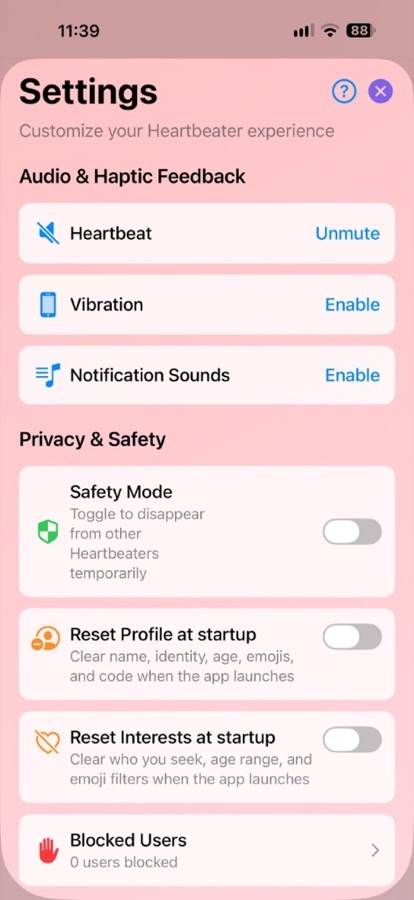
No login. No real names. No photos. Matching runs on your device. Preferences stay local, identifiers rotate, and you control visibility, blocking, and Safety Mode when you need to disappear fast. Discretion is the point: let the room meet the vibe, not a dossier.
Build three profile icons that feel like you — playful, specific, a little mysterious. That’s your signature. Others in the room don’t get a selfie grid; they get a pulse and a hint, and their imagination does the rest until you choose to say hello.
No headshots to judge in advance. The tall guy in the green shirt. The smile behind the mask. Heartbeater leaves space for curiosity — so when you meet, it’s a person, not a profile picture you’ve already scrolled past.
Clear profile and interests when the app launches. Next open, your last identity and what you were looking for are gone — so if someone else picks up your phone, they don’t see who you were last night or who you hoped to meet.
In Settings you can flip Safety Mode to disappear from other Heartbeaters temporarily, reset profile and interests at startup, and manage blocked users — privacy and discretion controls when you need them.